What Is an MCP Server and When Is It Worth It for a Company
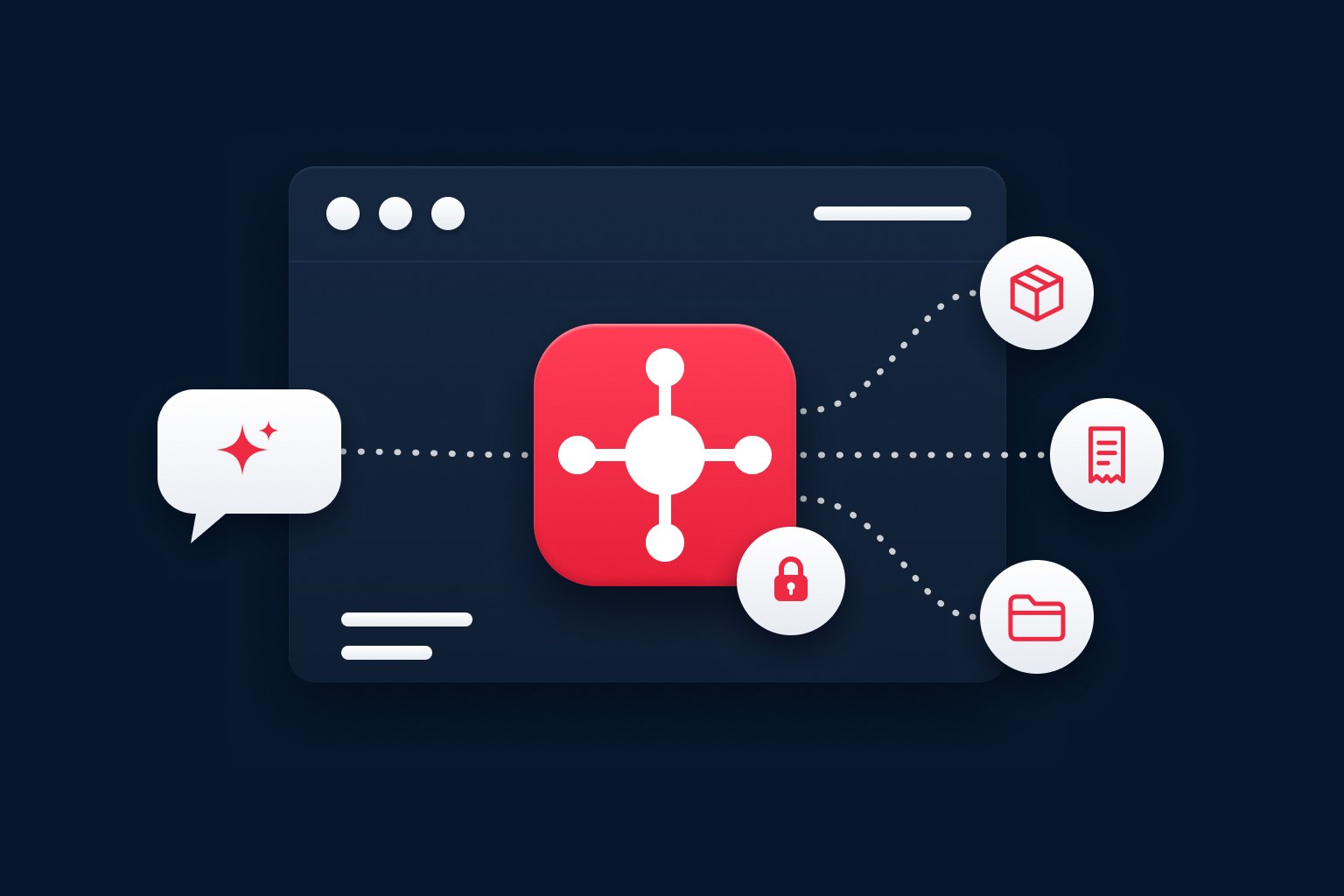
An MCP server is an intermediary that lets an AI assistant work safely with the data and functions in your business systems, such as stock management, accounting or the helpdesk. MCP stands for Model Context Protocol, a shared set of rules that AI uses to communicate with the outside world.
This guide is for owners, directors and department heads who have heard "we need MCP" and want to know what is behind it. No technical background is needed. By the end, you will know when an MCP server makes sense, when it does not, and what to ask a supplier.
What is an MCP server, in simple terms
Picture the reception desk in an office building. A visitor (the AI assistant) does not wander the corridors alone. They go to reception, say what they need, and the receptionist knows where to let them in, what they may be handed and what is off limits. An MCP server is that reception desk for artificial intelligence.
The Model Context Protocol is an open standard, meaning publicly documented rules that anyone can use. Anthropic introduced it in November 2024 as a way to connect AI assistants to the systems where data lives. The official documentation compares it to a universal connector: one standard that different AI applications can plug into.
For a business, the takeaway is simple. Once your data has a "reception desk" built to this standard, different AI tools that support it can work with that data, and you still set the rules in one place.
What an MCP server does and how it differs from a regular integration
Language models are good at writing, summarising and answering questions. On their own, though, they do not know how many units you have in stock, which invoices are overdue or what your internal policy says. An MCP server gives them access to that information and can also allow specific actions, such as creating a task or drafting a reply to a customer.
A regular integration connects two specific systems, usually in one direction and for one purpose. When you want to add another AI tool, you often end up building another connection. An MCP server is a shared interface instead: you describe once what AI may do with your data, and different compatible AI applications then use it in the same way.
That does not mean your existing connections disappear. An MCP server usually sits on top of what your systems already offer and adds clear rules for AI.
Examples from day-to-day operations
The situations below are illustrative examples. They show where an MCP server can make sense; they do not describe specific client projects.
- Stock and orders. A salesperson asks the AI assistant whether you can deliver 200 units by Friday. Through the MCP server, the assistant checks stock levels and open orders and answers with the figures behind it.
- Invoicing and accounting. The finance manager wants a list of overdue invoices above a certain amount. The assistant finds them and drafts reminders, but a person approves sending them.
- Customer support. A support agent sees the customer's order history and previous messages next to the query, without switching between five applications.
- Internal documents and policies. A new colleague asks how business trips are approved and gets an answer based on the current policy, with a link to it.
- Reporting. Management asks for a weekly summary of sales by region and the assistant builds it from data the company already has.
For a closer look at one specific case, read our article on connecting MCP to a CRM.
Risks and security: AI can do only what you allow
An MCP server does not guarantee security by itself. What matters is how it is designed and configured. The standard's documentation has a dedicated section on security best practices. From a management perspective, five things are worth watching.
| What to watch | Why it matters |
|---|---|
| Role-based permissions | A sales assistant should not see payroll. AI should see only what the person it works for has access to. |
| Read only, or write as well | Reading data is far less risky than changing it. Write access is best switched on gradually and for specific tasks. |
| Human approval | Sensitive steps, such as emailing a customer or changing a price, should be confirmed by a person. |
| Activity log | You must always be able to trace what the AI did, when and on whose instruction. |
| Where the data goes | Know which AI provider receives the data and what happens to it there. |
How much independence AI gets is a management decision, not a technical detail. Our article on who has the final say: assisted, delegated and autonomous AI can help. For the choice between local and cloud AI, see secure AI on company data, and for keeping access rights in order, read about business access management.
And what if the AI makes a mistake? You have to plan for it. That is why you start with reading data only, switch on write access after testing, and keep a person in charge of important steps.
When an MCP server is worth it
Your own MCP server is worth considering if you recognise at least some of these signs:
- Important data sits in your own systems (stock, accounting, helpdesk, internal applications) and people want faster access to it.
- The same questions and tasks keep coming up: "how many do we have in stock", "who owns this order", "send me last week's summary".
- You use, or plan to use, several AI tools and do not want to build a separate connection for each.
- You want the rules for AI in one place, including who may do what and what gets logged.
- You are thinking about AI agents, that is, assistants that carry out several steps on their own. Without controlled access to data, they are of little practical use.
When an MCP server is not worth it and something simpler will do
Knowing when not to go ahead is just as important:
- Your data is a mess. If nobody knows which spreadsheet is the right one, AI will not fix it. More in AI sandwich: why even the best model can't save bad data.
- There is no clear process. If you do not know exactly what the assistant should do and who is responsible for the result, start by describing the process.
- It is a one-off need. Exporting data now and then and letting AI summarise it does not require your own server.
- A ready-made option exists. Many common applications already offer their own AI connector. If it covers your needs, there is no reason to build anything custom.
Other common reasons why AI projects fail are covered in our article on five mistakes that kill AI automation projects.
Five questions to ask before you commit to an MCP server
- Which specific task should AI speed up or simplify, and who does it today?
- Which systems hold the data it needs, and is that data reliable?
- Should AI only read the data, or change it too? Which steps must a person always approve?
- Who in the company will be responsible for the rules and permissions?
- After the first pilot, how will we know it works and is worth extending?
If you have no clear answer to the first two questions, start there rather than with the technology.
What a custom MCP server from 1. Web IT looks like
We are 1. Web IT, a software company that builds custom systems and helps businesses put artificial intelligence to work. We build MCP servers as a custom service on top of the CRM, ERP or other system you already use. It is not an off-the-shelf product.
We start with a free 30-minute introductory call. Together we look at what you want to simplify, where the data lives and which rules the AI must follow. We reply to every enquiry within one working day. Find out more on our AI implementation support and custom-built solutions pages.
Frequently asked questions
What is an MCP server in simple terms?
An MCP server is an intermediary between an AI assistant and your business systems. It decides which data and functions the AI can reach and under what conditions. It follows the open Model Context Protocol standard, so different AI tools can work with it.
What is an MCP server used for in a company?
It lets an AI assistant answer questions and work with the company's real data, such as stock, invoices, customer queries or internal policies. People no longer have to look up and copy data by hand, and the company keeps its access rules in one place.
Is an MCP server secure, and what if the AI makes a mistake?
Security depends on the design: role-based permissions, separating reading from writing, human approval for sensitive steps and a log of every action. AI mistakes cannot be ruled out entirely, which is why you start with read-only access and a person confirms important steps.
When is an MCP server worth it and when not?
It is worth it when your data sits in your own systems, the same questions and tasks keep repeating and you want control over the rules for AI. It is not worth it when your data is disorganised, there is no clear process or a ready-made connector already does the job.
How does it differ from an API or a regular integration?
An API (an interface through which programs talk to each other) and a regular integration usually connect two specific systems for one purpose. An MCP server adds a shared interface for AI on top of them, which different compatible AI applications can use. It does not replace your existing API; it builds on it.
What does getting started look like?
It depends on how many systems and tasks you want to include. You start with an introductory call, then an assessment of your data and systems, and finally a small pilot with one task and read-only access. The results of the pilot decide what comes next.
Wondering whether an MCP server makes sense for your organisation? Get in touch, and on the introductory call we will go through your systems, your data and one task that could serve as a first pilot.