Business Access Management: Why Excel Isn’t Enough and What to Use Instead
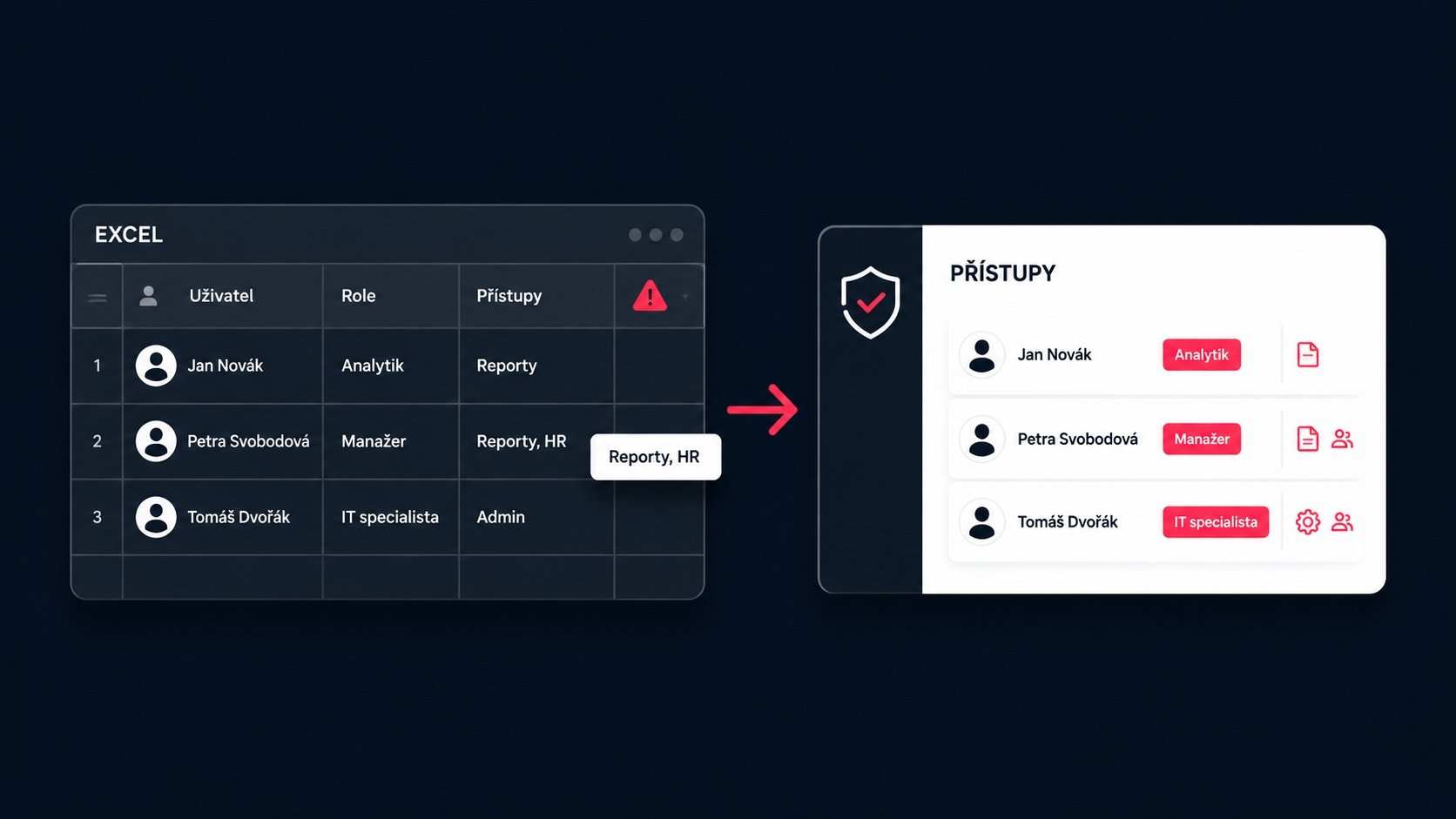
In most companies, access management starts out quietly. At first, there are only a few employees, a handful of applications and a simple Excel spreadsheet showing who has access to each system.
Initially, this may be sufficient. As the company grows, however, the spreadsheet gradually becomes an inaccurate reflection of reality. Employees change roles, external contractors complete projects, new applications are introduced and permissions are modified directly within individual systems.
Excel may say that access has been revoked. The company’s actual infrastructure may show something completely different.
Access management should therefore be more than a record-keeping exercise. It must actively control who can sign in, which systems they can access and what actions they are allowed to perform.
What does access management mean in a company?
Identity and Access Management, commonly referred to as IAM, covers the processes and technologies used to manage users’ digital identities and permissions.
It is important to distinguish between two fundamental concepts:
- Authentication verifies who is signing in to a system.
- Authorization determines what the authenticated user is allowed to do.
For example, an employee signs in using a password and a second authentication factor. Based on their role, the system then determines whether they may only view customer records, edit them, export data or change the application’s settings.
A properly designed access management system therefore connects identities, authentication, roles, permissions and the entire lifecycle of user accounts.
Why Excel is no longer enough for access management
A company is not a static environment. People join and leave, move between teams and take on new responsibilities. At the same time, the number of applications, cloud services and internal systems continues to grow.
A typical employee may need access to:
- Google Workspace or Microsoft 365,
- CRM and internal administration systems,
- GitHub or GitLab,
- project management tools,
- company communication platforms,
- cloud infrastructure,
- VPN,
- databases,
- analytics and marketing services,
- AI tools.
A spreadsheet may contain information about which permissions an employee should have. However, it cannot assign, modify or revoke those permissions. It also cannot verify whether the information recorded in the document matches the actual configuration of every application.
| Area | Excel-based records | Centralized access management |
|---|---|---|
| User overview | Updated manually | Managed in one place |
| Granting and revoking access | Handled separately in each system | Managed centrally for connected systems |
| Changes in job roles | Permissions must be reviewed manually | Access is updated according to defined roles |
| Two-factor authentication | Cannot be enforced | Can be required centrally |
| Single sign-on | Not supported | Enables sign-in across connected applications |
| Verification of the actual state | Records may differ from reality | Changes are reflected in managed access rights |
Excel is therefore not necessarily a bad starting point for creating an initial inventory. The problem begins when a company starts using it as its primary tool for managing identities and security.
How forgotten and excessive access rights emerge
Consider a model situation in which a developer ends their cooperation with a company. Their main account is disabled and the access records are marked as “revoked”.
In reality, they may still have:
- an account in the source code repository,
- access to the cloud infrastructure,
- an active VPN account,
- membership in internal communication channels,
- administrator permissions in an application,
- a personal API token or access key.
A similar problem may occur when an employee changes roles. They receive new permissions, but no one removes the old ones. Over time, they accumulate more access rights than they need to perform their job.
Security guidance therefore applies the principle of least privilege. Each user should receive only the access rights they genuinely need for their current responsibilities. NIST also recommends regularly reviewing accounts and disabling them when employment ends or access requirements change. The same principle is emphasised in OWASP’s authorization guidance.
Risk does not only come from external attacks
A security problem does not have to begin with a sophisticated cyberattack. It often results from ordinary operational chaos:
- a former employee still has an active account,
- an external contractor can access data after completing a project,
- a team uses a shared administrator account,
- an employee has more permissions than they need,
- no one knows who owns a particular access token,
- a new application has been introduced without the IT department’s knowledge.
The last example is known as shadow IT. It refers to applications and services that employees use outside the company’s official IT management. These tools may process company data without being included in access records, security policies or offboarding procedures.
The difference between recorded and actual permissions is therefore not only a technical problem. It is also a matter of accountability, risk management and corporate governance.
What companies use instead of Excel
Modern access management does not usually rely on a single measure. It consists of several interconnected layers.
Centralized identity management
The foundation is a central place from which the company manages users, roles and access to connected systems.
When an employee joins the company, an administrator creates their identity and assigns the appropriate permissions. If the employee changes roles, their access rights can be updated accordingly. When they leave, access can be revoked centrally without manually checking every application.
Centralization also reduces the number of unrelated accounts created for the same person.
Role-Based Access Control
Role-Based Access Control, or RBAC, assigns permissions according to job roles instead of configuring every user individually.
A company may define roles such as:
- backend developer,
- HR manager,
- accountant,
- customer support specialist,
- external contractor,
- administrator.
A new employee then receives the permissions associated with their role. If their position changes, the role can be updated instead of manually modifying dozens of individual permissions.
RBAC is a suitable foundation for most companies. In more complex environments, it may need to be supplemented with rules based on additional attributes, such as a specific project, country, device type or data sensitivity.
Single Sign-On and OpenID Connect
Single Sign-On, or SSO, allows users to sign in once and then access multiple connected applications without creating separate login credentials for each one.
OpenID Connect can be used to securely transfer information about an authenticated user. It acts as an identity layer on top of OAuth 2.0 and enables an application to verify a user’s identity based on authentication performed by a central identity provider. The OpenID Foundation explains the protocol in more detail.
This gives companies a more consistent sign-in process and reduces the number of passwords managed separately across individual applications.
Two-factor authentication
Two-factor authentication, also known as 2FA, requires two different methods of identity verification during sign-in. This typically involves a password combined with confirmation through a mobile device or an authenticator application.
Even if an attacker obtains the password, they still lack the second factor. NIST therefore recommends using multi-factor authentication, particularly for sensitive business accounts. It also recommends removing access when job requirements change or an employee leaves the company.
However, 2FA alone does not solve incorrectly configured permissions. It protects the sign-in process, while roles and access policies determine what users are allowed to do once they have signed in.
Onboarding and offboarding must be part of one process
Employee onboarding usually receives more attention than offboarding. A company needs new employees to start working quickly, so it provides them with all the required accounts.
Offboarding often lacks the same level of precision. Deactivating an email account is not enough. The company must also address:
- access to internal and external applications,
- active sessions,
- administrator permissions,
- groups and project teams,
- VPN and remote access,
- service accounts, keys and tokens,
- ownership of documents and projects.
The same review should take place when an employee changes roles. Without it, permissions that are no longer required gradually accumulate.
NIST’s account management requirements cover the creation, modification, deactivation and removal of accounts, records of role membership and regular reviews of assigned permissions.
How access management relates to NIS2
The NIS2 Directive includes human resources security, access control policies and asset management among its cybersecurity risk-management measures. It also requires the use of multi-factor or continuous authentication solutions where appropriate.
Centralized identity management, role management and two-factor authentication can therefore help companies meet some of these security requirements. However, implementing a single tool does not automatically ensure compliance with NIS2.
Compliance also depends on internal policies, documentation, incident management, supplier relationships, employee training and other organizational and technical measures.
Where companies most often struggle when introducing access management
The most difficult part is usually not implementing the sign-in tool itself. It is cleaning up the company’s historical access environment.
Before centralizing access management, a company needs to determine:
- Which applications and systems does it actually use?
- Who owns each system?
- Which user, service and administrator accounts exist?
- Which permissions are genuinely required for each role?
- Who approves the creation and modification of access rights?
- How quickly must access be revoked when someone leaves?
- Which applications can be connected to a centralized sign-in system?
Without this clean-up, a company may centralize only part of its infrastructure while leaving the rest of the access chaos unmanaged. Access management is therefore not a one-time software implementation. It is an ongoing process of managing corporate identities.
When is Excel no longer enough?
Moving to centralized access management makes sense particularly when:
- the company uses a growing number of internal and cloud applications,
- it regularly hires employees or works with external contractors,
- people frequently change teams and job roles,
- access is configured manually in every system,
- shared accounts or unclear ownership of permissions exist,
- the company is introducing mandatory two-factor authentication,
- it is preparing for a security or compliance audit,
- no one can quickly confirm who has access to specific data.
The number of identities, applications and changes that the company must continuously manage is more important than the number of employees alone.
How LockNess supports access management
LockNess is a centralized business access management system. It helps organizations replace fragmented account and permission settings with clearer management from a single location.
Its main features include:
- centralized user provisioning and removal,
- access management through roles and permissions,
- two-factor authentication,
- password strength and management controls,
- support for the OpenID Connect protocol,
- unified sign-in across connected systems.
LockNess can simplify user onboarding and offboarding, reduce the number of manual actions and lower the risk of overlooking individual access rights.
The benefit is not limited to security. Centralized management also saves time for the people who would otherwise need to create and deactivate accounts separately in every application.
Excel records. Access management controls.
Excel can be useful when creating an initial inventory of systems and permissions. However, it should not remain the only tool on which a company bases its identity and security management.
As the number of employees, external contractors, applications and administrator accounts grows, the company needs a solution that does more than record access rights. It must actively manage them.
Are you dealing with fragmented access, complicated onboarding or unclear permissions? See how LockNess works. We will help you centralize authentication and configure access management according to your company’s needs.
What else can we help you with?
Do you need to connect LockNess to your existing applications or internal systems? We can help with integration and any required custom development.
Do you need long-term operation, updates and technical support? Explore our application support and management services